
Forms
Build Filament forms in your own admin pages, with the fields and layout of Shopper forms.
The forms of the admin panel are Filament schemas rendered by Livewire components. Your own pages build theirs the same way, with Filament's fields and the components Shopper adds, so they look and behave like the product or customer forms. This page builds a form on an admin page. Slide-overs shows the same form in a side panel.
Form in an Admin Page
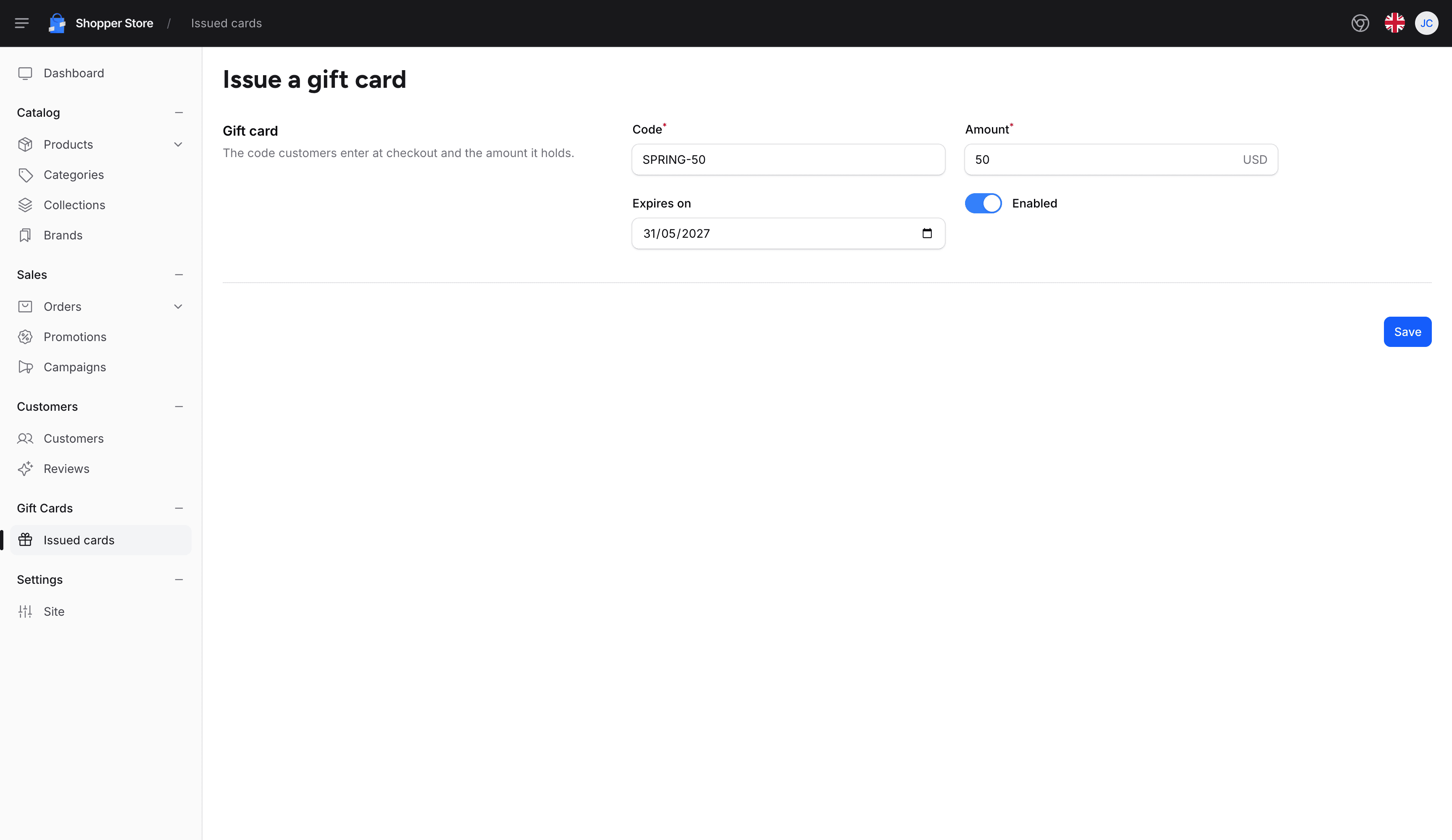
The page below issues gift cards. It follows the layout of Shopper's create pages: a section with its title and description on the left and the fields on the right, then a save button at the bottom:
namespace App\Livewire\Shopper\GiftCards;

use App\Models\GiftCard;
use Filament\Actions\Concerns\InteractsWithActions;
use Filament\Actions\Contracts\HasActions;
use Filament\Forms\Components\DatePicker;
use Filament\Forms\Components\TextInput;
use Filament\Forms\Components\Toggle;
use Filament\Notifications\Notification;
use Filament\Schemas\Concerns\InteractsWithSchemas;
use Filament\Schemas\Contracts\HasSchemas;
use Filament\Schemas\Schema;
use Illuminate\Contracts\View\View;
use Illuminate\Support\Arr;
use Illuminate\Validation\ValidationException;
use Shopper\Components\Form\MoneyInput;
use Shopper\Components\Section;
use Shopper\Livewire\Pages\AbstractPageComponent;
use Shopper\Traits\HandlesAuthorizationExceptions;

class CreateGiftCard extends AbstractPageComponent implements HasActions, HasSchemas
{
    use HandlesAuthorizationExceptions;
    use InteractsWithActions;
    use InteractsWithSchemas;

    public ?array $data = [];

    public function mount(): void
    {
        $this->authorize('gift-cards.create');

        $this->form->fill();
    }

    public function form(Schema $schema): Schema
    {
        return $schema
            ->components([
                Section::make(__('Gift card'))
                    ->aside()
                    ->compact()
                    ->columns()
                    ->description(__('The code customers enter at checkout and the amount it holds.'))
                    ->extraAttributes(['class' => 'sh-section-aside'])
                    ->schema([
                        TextInput::make('code')
                            ->label(__('Code'))
                            ->required()
                            ->maxLength(32)
                            ->unique(GiftCard::class, 'code'),
                        MoneyInput::make('amount')
                            ->label(__('Amount'))
                            ->currency(shopper_currency())
                            ->amountRules()
                            ->required(),
                        DatePicker::make('expires_at')
                            ->label(__('Expires on'))
                            ->minDate(now()),
                        Toggle::make('is_enabled')
                            ->label(__('Enabled'))
                            ->default(true),
                    ]),
            ])
            ->statePath('data')
            ->model(GiftCard::class);
    }

    public function store(): void
    {
        $this->authorize('gift-cards.create');

        $giftCard = GiftCard::query()->create([
            ...Arr::only($this->form->getState(), ['code', 'amount', 'expires_at', 'is_enabled']),
            'currency_code' => shopper_currency(),
        ]);

        Notification::make()
            ->title(__('Gift card :code issued', ['code' => $giftCard->code]))
            ->success()
            ->send();

        $this->redirectRoute(name: 'shopper.gift-cards.index', navigate: true);
    }

    protected function onValidationError(ValidationException $exception): void
    {
        Notification::make()
            ->title($exception->getMessage())
            ->danger()
            ->send();
    }

    public function render(): View
    {
        return view('livewire.shopper.gift-cards.create-gift-card')
            ->title(__('Issue a gift card'));
    }
}
The parts that come from Shopper:
| Part | Role |
|---|---|
AbstractPageComponent | Renders the page in the admin layout. title() on the view sets the title of the browser tab. |
HandlesAuthorizationExceptions | Shows a notification instead of an error page when a permission check fails after the page has loaded. |
Shopper\Components\Section | A Filament section with the styles of the admin panel. aside() with the sh-section-aside class places the title and the description next to the fields. |
MoneyInput | Shows the amount as a decimal and saves it as cents, as described in Admin Forms and Tables. |
onValidationError() | Filament calls it when getState() fails validation. Shopper's pages show the error in a notification as well as under the field. |
statePath('data') keeps the values of the form in the $data property, and model() tells the fields which model the form creates, which relationship fields need. Filament Components lists the other fields Shopper adds, such as the phone, country and slug inputs.
The view renders the form and its save button:
<x-shopper::container class="space-y-8 py-5">
    <x-shopper::heading :title="__('Issue a gift card')" />

    <form wire:submit="store">
        {{ $this->form }}

        <div class="border-sh-border mt-10 border-t pt-10">
            <div class="flex justify-end">
                <x-filament::button type="submit" wire:loading.attr="disabled">
                    <x-shopper::loader wire:loading wire:target="store" class="text-white" />
                    {{ __('shopper::forms.actions.save') }}
                </x-filament::button>
            </div>
        </div>
    </form>
</x-shopper::container>
Register the page in your custom route file:
use App\Livewire\Shopper\GiftCards\CreateGiftCard;
use Illuminate\Support\Facades\Route;

Route::livewire('/gift-cards/create', CreateGiftCard::class)->name('gift-cards.create');
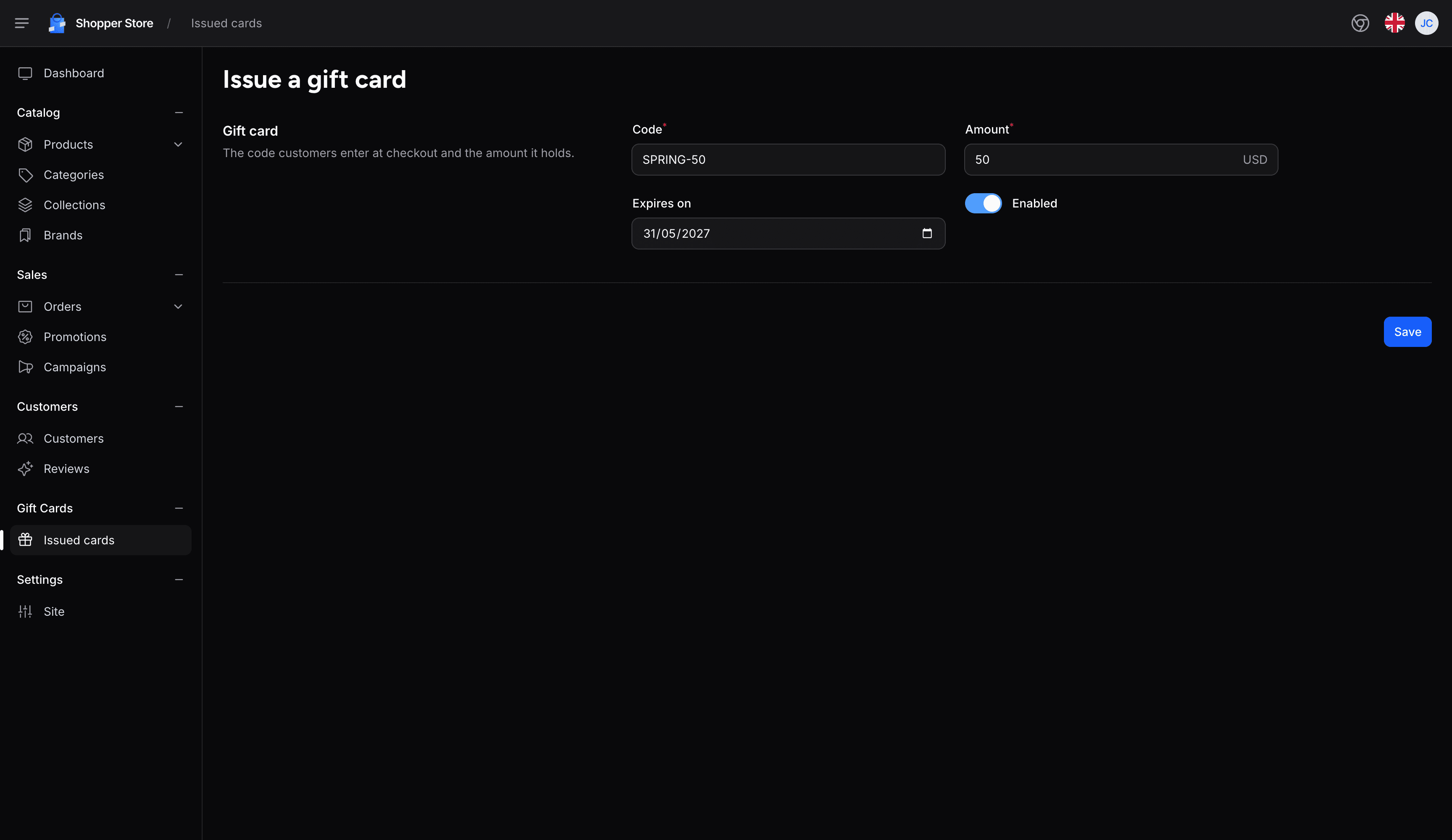
The page shows the title and the description of the section next to its fields:
Forms in a Modal
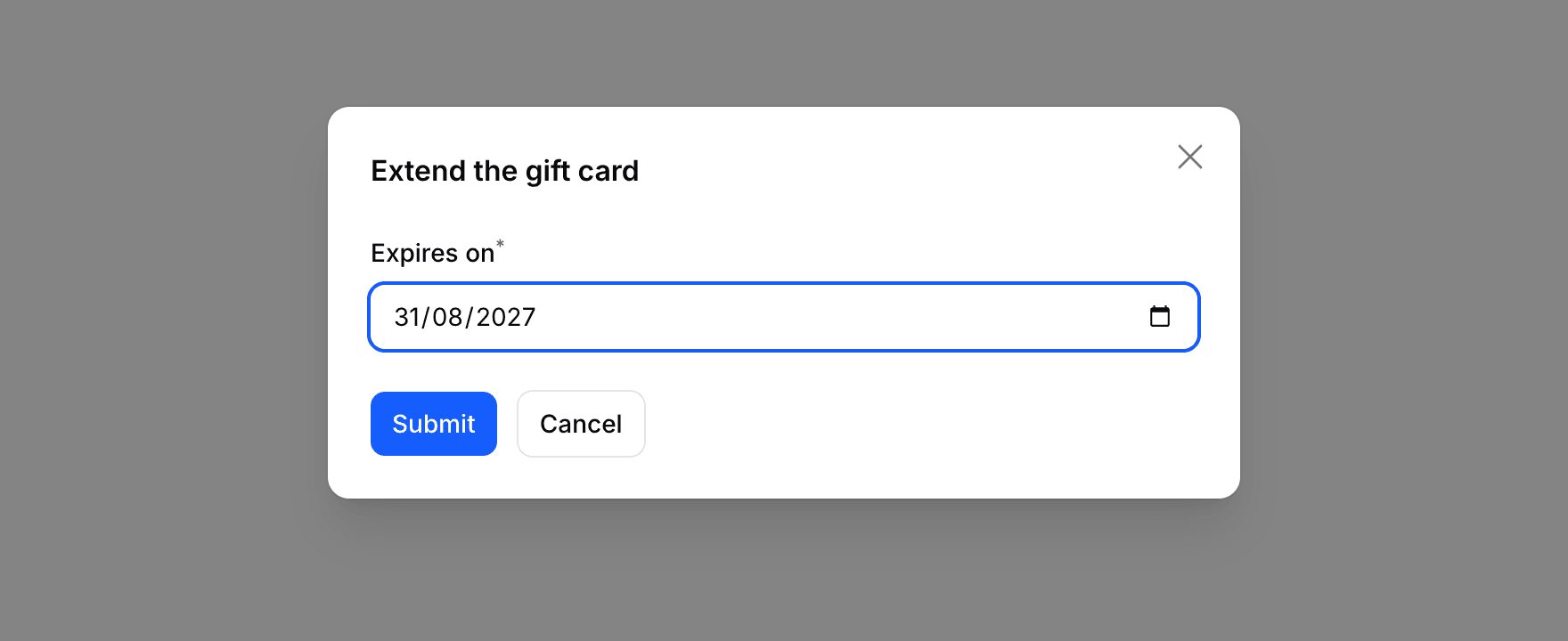
Shopper has no modal class of its own: its pages open a short form in the modal of a Filament action. The action below, on the page of a gift card, changes its expiry date:
use Filament\Actions\Action;
use Filament\Forms\Components\DatePicker;
use Filament\Notifications\Notification;
use Filament\Support\Enums\Width;

public function extendAction(): Action
{
    return Action::make('extend')
        ->authorize('gift-cards.edit')
        ->label(__('Extend'))
        ->color('gray')
        ->modalHeading(__('Extend the gift card'))
        ->modalWidth(Width::Large)
        ->fillForm(fn (): array => ['expires_at' => $this->giftCard->expires_at])
        ->schema([
            DatePicker::make('expires_at')
                ->label(__('Expires on'))
                ->required()
                ->minDate(now()),
        ])
        ->action(function (array $data): void {
            $this->giftCard->update(['expires_at' => $data['expires_at']]);

            Notification::make()
                ->title(__('Gift card extended'))
                ->success()
                ->send();
        });
}
The page implements HasActions and uses InteractsWithActions, like the page above. Its view renders the button and the modals of the page inside a single root element, which Livewire requires:
<div>
    <x-shopper::container class="space-y-8 py-5">
        <x-shopper::heading :title="$giftCard->code">
            <x-slot name="action">
                {{ $this->extendAction }}
            </x-slot>
        </x-shopper::heading>
    </x-shopper::container>

    <x-filament-actions::modals />
</div>
The Extend button of the heading opens the modal:
An action without a schema and with requiresConfirmation() asks for confirmation only, as the order actions of Shopper do. slideOver() opens the form in a Filament side panel instead of a modal; for a form of its own with the look of Shopper's side panels, use a slide-over.
Last updated on
Edit on GitHub