
Controllers
Add custom pages to the admin panel using controllers or Livewire components.
You can add custom pages to the Shopper admin panel using either traditional Laravel controllers or Livewire components. Both approaches share the same authentication middleware and can be integrated into the admin sidebar navigation.
Custom Routes
To add custom routes inside the admin panel, set the custom_file key in config/shopper/routes.php to point to a dedicated route file:
'custom_file' => base_path('routes/shopper.php'),Routes defined in this file are loaded with the admin panel's middleware stack (authentication, the admin access check and the middleware of your configuration), under the admin URL prefix. Shopper also prefixes their names with shopper., so a route you name posts.index is called with route('shopper.posts.index').
The admin middleware does not check any permission: restrict a group of routes with the can middleware, as shown in Adding control panel routes, or check the permission in the page itself.
Using Controllers
You can use standard Laravel controllers with Shopper. Create a controller in any namespace you prefer:
php artisan make:controller Shopper/PostControllerThis creates a controller in app/Http/Controllers/Shopper/PostController.php:
namespace App\Http\Controllers\Shopper;

use App\Http\Controllers\Controller;
use App\Models\Post;
use Illuminate\Contracts\View\View;
use Illuminate\Http\RedirectResponse;
use Illuminate\Http\Request;

class PostController extends Controller
{
    public function index(): View
    {
        $posts = Post::query()->latest()->paginate(20);

        return view('shopper.posts.index', compact('posts'));
    }

    public function create(): View
    {
        return view('shopper.posts.create');
    }

    public function store(Request $request): RedirectResponse
    {
        $validated = $request->validate([
            'title' => ['required', 'string', 'max:255'],
            'content' => ['required', 'string'],
        ]);

        Post::query()->create($validated);

        return redirect()->route('shopper.posts.index');
    }
}
Register the routes in your custom route file:
use App\Http\Controllers\Shopper\PostController;
use Illuminate\Support\Facades\Route;

Route::middleware('can:posts.browse')->group(function (): void {
    Route::get('/posts', [PostController::class, 'index'])->name('posts.index');
});

Route::middleware('can:posts.create')->group(function (): void {
    Route::get('/posts/create', [PostController::class, 'create'])->name('posts.create');
    Route::post('/posts', [PostController::class, 'store'])->name('posts.store');
});
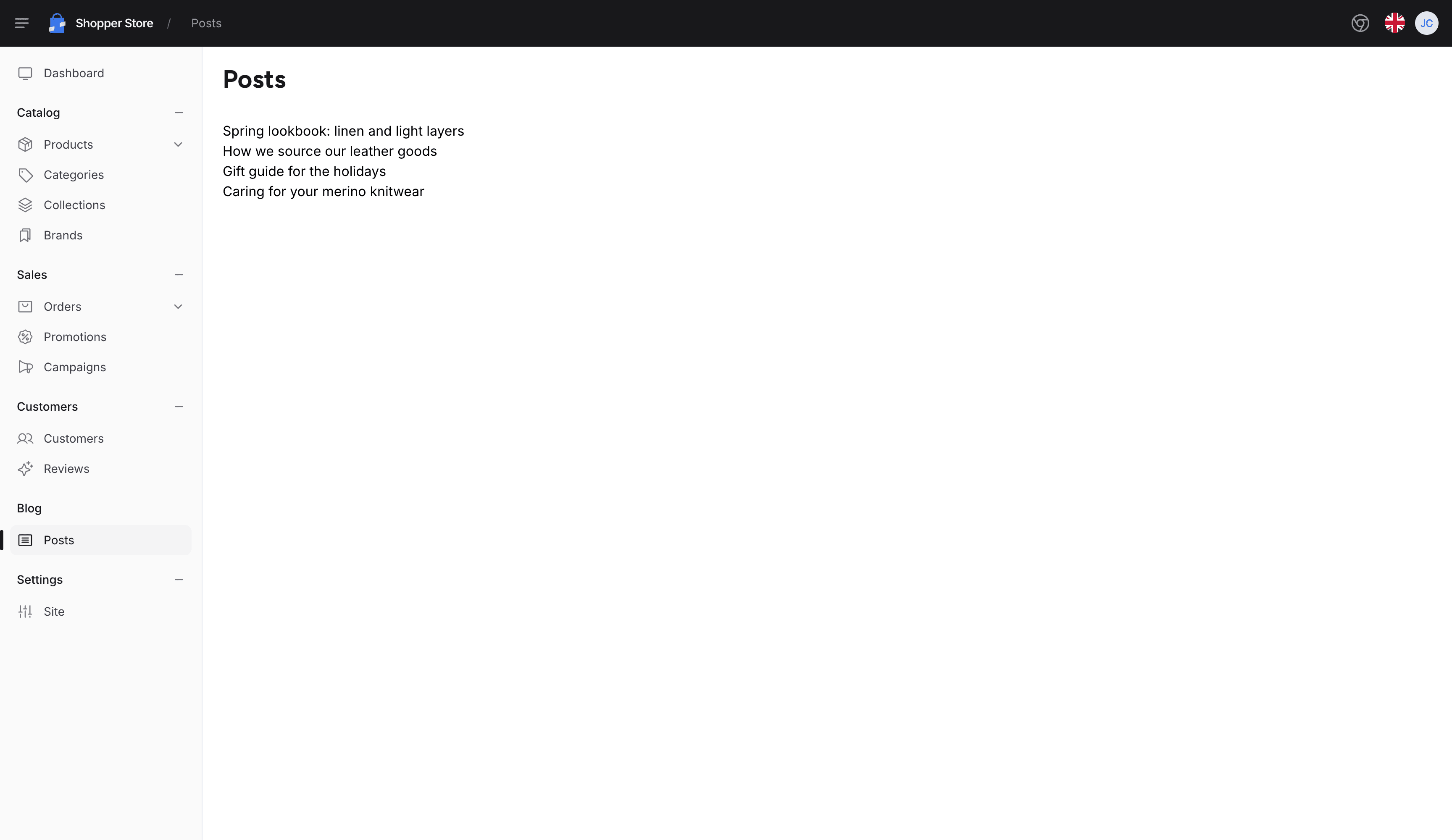
The views of a controller render inside the admin layout when they use the x-shopper::layouts.app component, which adds the header, the sidebar and the notifications around the page:
<x-shopper::layouts.app :title="__('Posts')">
    <x-shopper::container class="space-y-8 py-5">
        <x-shopper::heading :title="__('Posts')" />

        <ul>
            @foreach ($posts as $post)
                <li>{{ $post->title }}</li>
            @endforeach
        </ul>

        {{ $posts->links() }}
    </x-shopper::container>
</x-shopper::layouts.app>
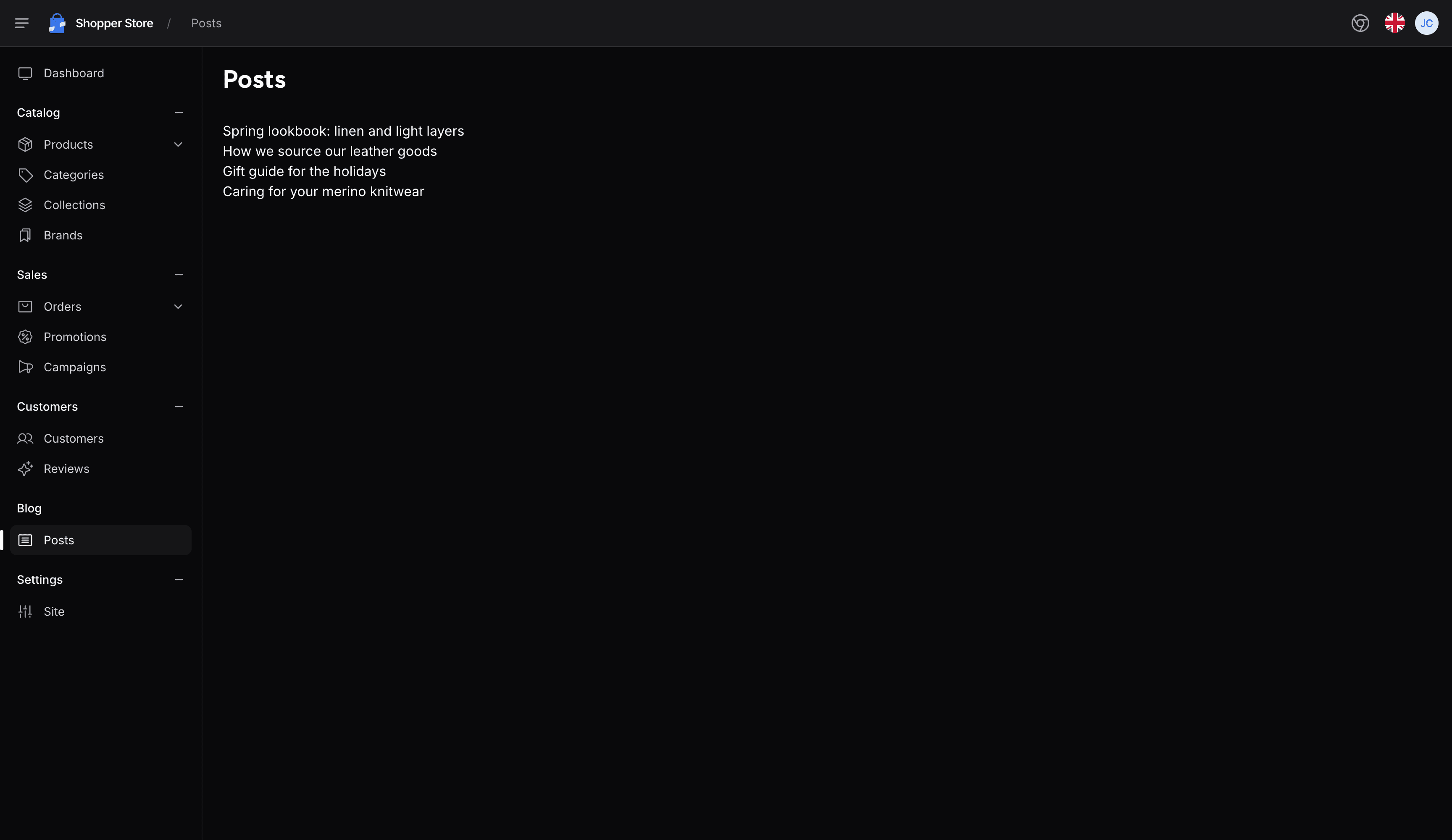
The page renders between the top bar and the sidebar of the admin panel:
The admin panel loads its own compiled stylesheet, which holds only the Tailwind CSS classes of Shopper's views. To use other classes in your views, build a theme of your own as described in Customize Shopper theme.
Using Livewire Components
Livewire is the recommended approach since the entire Shopper admin is built with Livewire. The pages configuration in config/shopper/admin.php sets the namespace and view path used by the make:shopper-page command:
'pages' => [
    'namespace' => 'App\\Livewire\\Shopper',
    'view_path' => resource_path('views/livewire/shopper'),
],
Create a page component:
php artisan make:shopper-page PostIndexThe command creates the class and its view. The class extends Shopper\Livewire\Pages\AbstractPageComponent, which renders the page inside the admin panel layout:
namespace App\Livewire\Shopper;

use Illuminate\Contracts\View\View;
use Shopper\Livewire\Pages\AbstractPageComponent;

class PostIndex extends AbstractPageComponent
{
    public function render(): View
    {
        return view('livewire.shopper.post-index');
    }
}
The view is written to resources/views/livewire/shopper/post-index.blade.php, so render() returns livewire.shopper.post-index. Check that the generated render() method names this view, and change it if it names another.
Register Livewire routes in your custom route file:
use App\Livewire\Shopper\PostIndex;
use Illuminate\Support\Facades\Route;

Route::livewire('/posts', PostIndex::class)->name('posts.index');
If your component extends Livewire\Component instead, add #[Layout('shopper::components.layouts.app')] to the class to inherit the admin panel layout with sidebar, header, and notification system.
The make:shopper-page Command
make:shopper-page also answers to shopper:page. Without a name, it asks for one. A name with slashes creates the page in a subfolder: php artisan make:shopper-page Blog/PostIndex creates App\Livewire\Shopper\Blog\PostIndex and the view resources/views/livewire/shopper/blog/post-index.blade.php.
The view starts as an x-shopper::container component that holds a comment with an inspiring quote. When the class or the view already exists, the command reports it and leaves the file as it is. Pass --force, or -f, to overwrite both files.
Breadcrumbs
The header of the admin panel shows a breadcrumb trail. It starts with the active entry of the sidebar: an entry that links to /cpanel/posts stays active on every URL below it, such as /cpanel/posts/12/edit. A page adds its own crumbs after it with the Shopper\Sidebar\Traits\WithBreadcrumbs trait. Return them from getBreadcrumbs():
namespace App\Livewire\Shopper;

use App\Models\Post;
use Illuminate\Contracts\View\View;
use Livewire\Attributes\Locked;
use Shopper\Livewire\Pages\AbstractPageComponent;
use Shopper\Sidebar\Breadcrumbs\Breadcrumb;
use Shopper\Sidebar\Traits\WithBreadcrumbs;

class PostEdit extends AbstractPageComponent
{
    use WithBreadcrumbs;

    #[Locked]
    public Post $post;

    public function mount(): void
    {
        $this->authorize('posts.edit');
    }

    public function getBreadcrumbs(): array
    {
        return [
            new Breadcrumb(text: $this->post->title),
        ];
    }

    public function render(): View
    {
        return view('livewire.shopper.post-edit');
    }
}
Livewire fills $post from the {post} parameter of the route, Route::livewire('/posts/{post}/edit', PostEdit::class)->name('posts.edit'). The trait pushes the crumbs after mount() runs, so getBreadcrumbs() can read the properties that mount() sets. On this page, the trail reads Posts then the title of the post.


A Breadcrumb takes a text, and optionally a url, an icon and a list of links for a dropdown. Adding Page Breadcrumbs describes these arguments, and Breadcrumb Registry shows how to push crumbs from a controller. Breadcrumbs explains how the trail is built.
Adding Navigation
To add your custom page to the admin sidebar, create a sidebar extension. See the Navigation page for details on adding menu items that link to your controller or Livewire routes.
Authorization Pattern for Custom Admin Components
Custom Livewire components that extend or mimic Shopper's admin surfaces (orders, products, customers, settings) follow the authorization pattern of Shopper's own components. Each rule below keeps a permission check tied to the action and the record it protects.
To show a notification instead of an error page when a check fails, add the Shopper\Traits\HandlesAuthorizationExceptions trait to the component. A check that fails in mount() still sends the user to the forbidden page of the admin panel, and a check that fails in a later action shows an "Unauthorized" notification.
Chain authorize() on Filament Actions
Declare the required ability on the Filament Action itself, not inside the closure. This hides the button when the user lacks the ability instead of throwing a 403 on click:
use Filament\Actions\Action;
use Shopper\Core\Enum\OrderStatus;

public function cancelAction(): Action
{
    return Action::make('cancel')
        ->authorize('orders.edit')
        ->requiresConfirmation()
        ->action(function (): void {
            $this->order->transitionTo(OrderStatus::Cancelled);
        });
}
Authorize Livewire Method Handlers
Every public Livewire method that mutates state must call $this->authorize() on its first line. A public method can be called from the browser even when the button that calls it is hidden, so the check belongs in the method body, not in the view that rendered the trigger:
public function leaveNotes(): void
{
    $this->authorize('orders.edit');

    $this->validate();

    $this->order->update(['notes' => $this->notes]);
}
Lock Public Model Properties
Any public Model $x property on a Livewire component must be marked #[Locked]. The browser cannot change a locked property, so the component keeps acting on the record that its checks were made for:
use Livewire\Attributes\Locked;
use Shopper\Core\Models\Order;

#[Locked]
public Order $order;
Allow-List User Input
When persisting user input from the browser, use an explicit Arr::only(...) allow-list. With Arr::except(...), any new field that lands in the payload is saved too, where an allow-list saves only the fields you name:
use Illuminate\Support\Arr;

public function save(): void
{
    $this->authorize('gift-cards.edit');

    $this->giftCard->update(Arr::only($this->form->getState(), [
        'amount',
        'expires_at',
        'is_enabled',
    ]));
}
Guard Lookups Against Null
Livewire components that resolve a model from user input must handle the lookup failure path. Return early when the lookup finds nothing, so the rest of the method runs only on a record that exists. On a role page, granting a permission by its ID looks like this:
use Shopper\Models\Permission;

public function grantPermission(int $permissionId): void
{
    $this->authorize('system.settings');

    $permission = Permission::query()->find($permissionId);

    if ($permission === null) {
        return;
    }

    $this->role->givePermissionTo($permission->name);
}
Last updated on
Edit on GitHub