
Currencies
Configure and manage multiple currencies for your global store
Currencies define the monetary units used across your store. Each zone is associated with a currency, and each price record is linked to a currency. Shopper supports multi-currency pricing out of the box, with over 150 currencies seeded during installation.
Model
The model used is Shopper\Core\Models\Currency. It implements Shopper\Core\Models\Contracts\Currency. The model has a global enabled scope that automatically filters out disabled currencies (see Pricing for details).
Database Schema
Currencies are stored in the currencies table with the table prefix set in config('shopper.core.table_prefix'), so sh_currencies by default. The table has no timestamps.
| Column | Type | Nullable | Default | Description |
|---|---|---|---|---|
id | bigint | no | auto | Primary key |
name | string | no | - | Currency name (e.g., "US Dollar") |
code | string(10) | no | - | ISO 4217 code (e.g., "USD"), unique |
symbol | string(25) | no | - | Currency symbol (e.g., "$") |
format | string(50) | no | - | Display format pattern (e.g., "$1,0.00"). shopper_money_format() does not read it |
exchange_rate | decimal(10,2) | yes | null | Exchange rate relative to the store's default currency. Stored for reference only: Shopper never converts prices with it |
is_enabled | boolean | no | true | Whether the currency is enabled |
How Currencies are Created
Currencies are defined in the database/data/currencies.json file of the shopper/core package. When you run php artisan shopper:install and answer yes to "Run database migrations and seeders?", the Shopper\Core\Database\Seeders\CurrenciesTableSeeder seeder reads this file and inserts its 158 currencies, all enabled. If you skipped that step, run the Shopper seeder yourself. It also seeds the countries, legal pages, default channel, carrier and payment method:
php artisan db:seed --class="Shopper\Core\Database\Seeders\ShopperSeeder"Shopper ships with over 150 currencies out of the box, so you rarely need to add more. If you do need a custom currency, such as the Sierra Leonean leone (SLE) that the file does not have, create a migration that inserts it through the Currency model, which writes to the prefixed table:
<?php

use Illuminate\Database\Migrations\Migration;
use Shopper\Core\Models\Currency;

return new class extends Migration
{
    public function up(): void
    {
        Currency::query()->create([
            'name' => 'Sierra Leonean Leone',
            'code' => 'SLE',
            'symbol' => 'Le',
            'format' => 'Le1,0.00',
        ]);
    }
};
How to Set Up Store Currencies
After installing Shopper, you need to set up your store. During this step you choose the currencies you want for your store and the one used by default, which must be one of them. Once you've done this, you can change these currencies in the Store currency section of your general settings, Settings > General. Both steps only list enabled currencies.
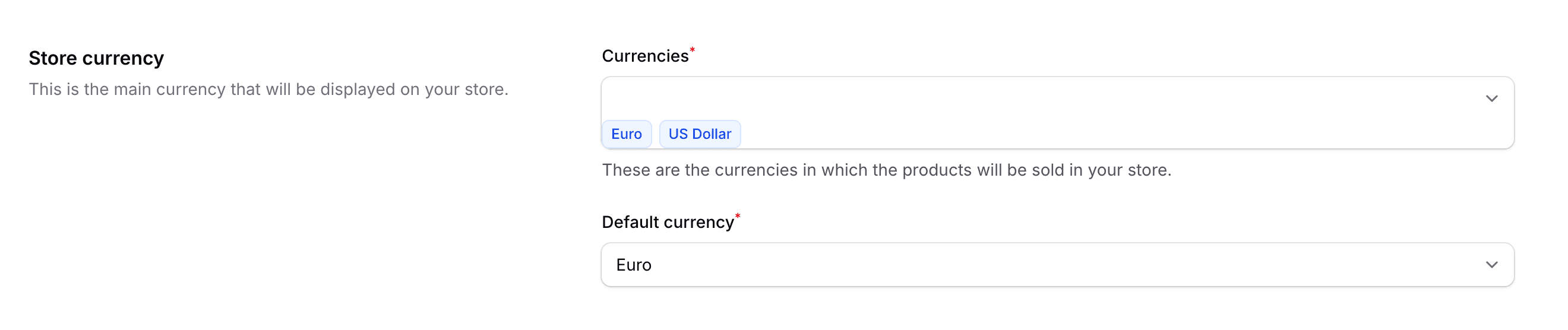
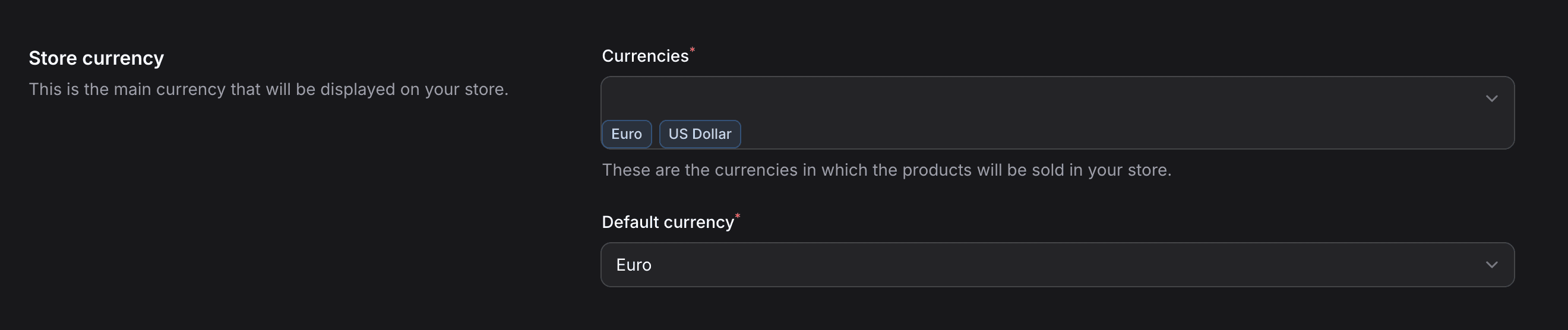
The Settings > Currencies page lists every currency in the table, disabled ones included. There you enable or disable currencies, one at a time with the status toggle or several at once with the bulk actions, and edit their exchange rate. Names, codes and symbols cannot be edited from this page. It requires the access_setting permission.
Only disable currencies your store does not use. The enabled scope hides a disabled currency, so $zone->currency and $price->currency return null, the currency_code attribute of a zone or a price throws an error, and if it is the default currency, shopper_currency() returns USD once its one-hour cache expires. Do not delete a currency either: deleting it also deletes every zone and every price that uses it.
Zero-Decimal Currencies
Some currencies have no subdivision (no "cents"). For example, the Japanese Yen (JPY) and the Central African CFA Franc (XAF) are stored as whole numbers, so 1000 JPY is stored as 1000, not 100000.
Shopper handles this automatically. The is_no_division_currency() helper checks if a currency code (in uppercase) is zero-decimal, and zero_decimal_currencies() returns the full list:
is_no_division_currency('XAF'); // true
is_no_division_currency('USD'); // false

zero_decimal_currencies();
// ['BIF', 'CLP', 'DJF', 'GNF', 'HTG', 'JPY', 'KMF', 'KRW',
//  'MGA', 'PYG', 'RWF', 'VND', 'VUV', 'XAF', 'XAG', 'XAU',
//  'XDR', 'XOF', 'XPF']
The shopper_money_format() helper and the MoneyInput form component both use this to determine whether to divide/multiply by 100. See the Pricing documentation for details.
Relation to Other Entities
Carts and orders do not reference a currency row: they store the ISO code in a currency_code column. A new cart uses shopper_currency() unless you pass a currency_code.
Store
A store has a default currency and can have many currencies. These currencies are then used in other relations: the admin only offers the store currencies when you associate a zone with a currency or set the prices of a product or a variant.
These 2 values are stored through the Shopper\Core\Models\Setting model, in the rows whose key column is default_currency_id and currencies.
The shopper_setting('default_currency_id') helper returns the ID of the default currency, and shopper_setting('currencies') returns an array with the IDs of the currencies set up for your store. The shopper_currency() helper returns the code of the default currency, or USD when none is set (see Default Currency):
use Shopper\Core\Models\Currency;

$storeCurrencies = Currency::query()
    ->whereIn('id', shopper_setting('currencies') ?? [])
    ->get();

$defaultCurrencyCode = shopper_currency(); // "EUR"
Zone
Each Zone is associated with a currency. A currency can be used in more than one zone, but a zone can have only one currency.
The relation is available on a Zone through the currency relation and will return a Shopper\Core\Models\Currency object.
You can also access the currency code through the attribute currency_code on the zone. From the currency side, $currency->zone returns only one of its zones: see Zone Relationship to get all of them.
Price
The Price entity is used to represent a price associated with an entity, for example for products or variants. Each price is associated with a currency.
The relation is available on a Price through the currency relation and will return a Shopper\Core\Models\Currency object.
You can also access the currency code through the attribute currency_code on the price.
Last updated on
Edit on GitHub