
Controllers
Add custom pages to the admin panel using controllers or Livewire components.
You can add custom pages to the Shopper admin panel using either traditional Laravel controllers or Livewire components. Both approaches share the same authentication middleware and can be integrated into the admin sidebar navigation.
Custom Routes
To add custom routes inside the admin panel, set the custom_file key in config/shopper/routes.php to point to a dedicated route file:
// config/shopper/routes.php

'custom_file' => base_path('routes/shopper.php'),
Routes defined in this file are automatically loaded with the admin panel's middleware stack (authentication, authorization), under the admin URL prefix. Shopper also prefixes their names with shopper., so a route you name posts.index is called with route('shopper.posts.index').
Using Controllers
You can use standard Laravel controllers with Shopper. Create a controller in any namespace you prefer:
php artisan make:controller Shopper/PostControllerThis creates a controller in app/Http/Controllers/Shopper/PostController.php:
namespace App\Http\Controllers\Shopper;

use App\Http\Controllers\Controller;
use App\Models\Post;
use Illuminate\Contracts\View\View;
use Illuminate\Http\RedirectResponse;
use Illuminate\Http\Request;

class PostController extends Controller
{
    public function index(): View
    {
        $posts = Post::query()->latest()->paginate(20);

        return view('shopper.posts.index', compact('posts'));
    }

    public function create(): View
    {
        return view('shopper.posts.create');
    }

    public function store(Request $request): RedirectResponse
    {
        // Handle form submission

        return redirect()->route('shopper.posts.index');
    }
}
Register the routes in your custom route file:
// routes/shopper.php

use App\Http\Controllers\Shopper\PostController;
use Illuminate\Support\Facades\Route;

Route::get('/posts', [PostController::class, 'index'])->name('posts.index');
Route::get('/posts/create', [PostController::class, 'create'])->name('posts.create');
Route::post('/posts', [PostController::class, 'store'])->name('posts.store');
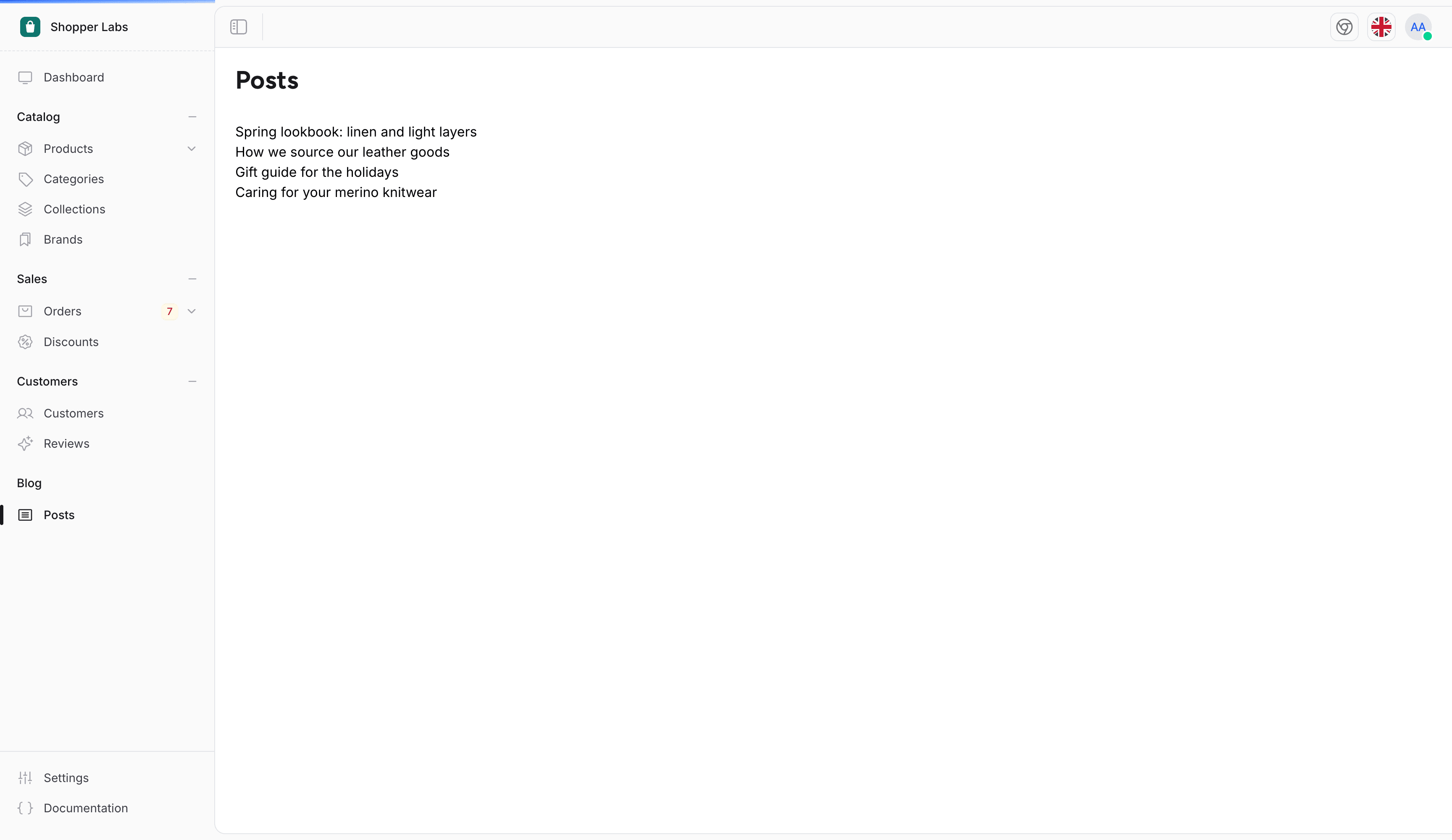
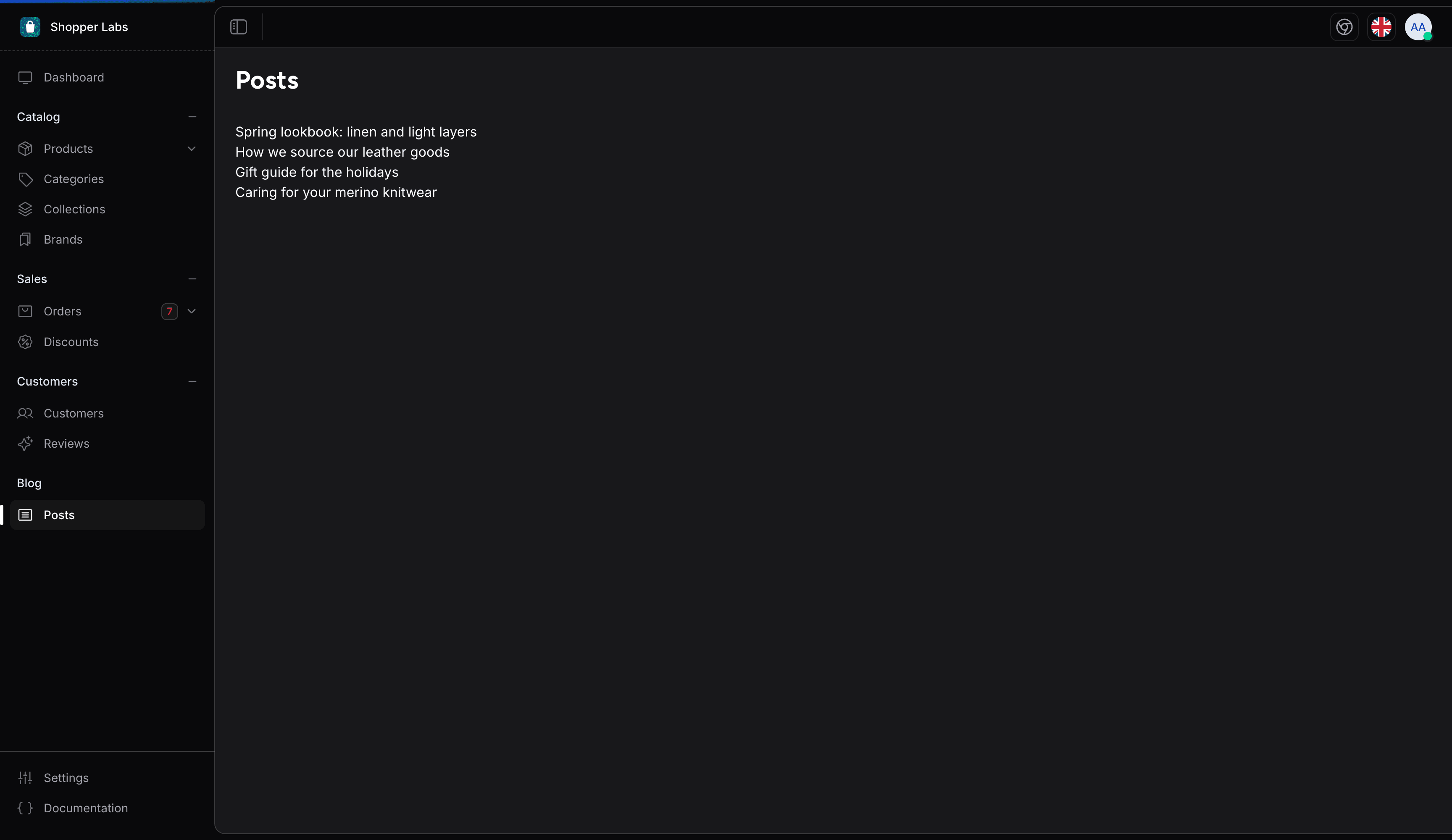
The views of a controller render inside the admin layout when they use the x-shopper::layouts.app component, which adds the sidebar, the top bar and the notifications around the page:
<x-shopper::layouts.app :title="__('Posts')">
    <x-shopper::container class="space-y-8 py-5">
        <x-shopper::heading :title="__('Posts')" />

        <ul>
            @foreach ($posts as $post)
                <li>{{ $post->title }}</li>
            @endforeach
        </ul>

        {{ $posts->links() }}
    </x-shopper::container>
</x-shopper::layouts.app>
The page renders next to the sidebar of the admin panel, under its top bar:
Using Livewire Components
Livewire is the recommended approach since the entire Shopper admin is built with Livewire. The pages configuration in config/shopper/admin.php sets the namespace and view path used by the make:shopper-page command:
// config/shopper/admin.php

'pages' => [
    'namespace' => 'App\\Livewire\\Shopper',
    'view_path' => resource_path('views/livewire/shopper'),
],
Create a page component:
php artisan make:shopper-page PostIndexThe command creates the class and its view. The class extends Shopper\Livewire\Pages\AbstractPageComponent, which renders the page inside the admin panel layout:
namespace App\Livewire\Shopper;

use Illuminate\Contracts\View\View;
use Shopper\Livewire\Pages\AbstractPageComponent;

class PostIndex extends AbstractPageComponent
{
    public function render(): View
    {
        return view('livewire.shopper.post-index');
    }
}
Register Livewire routes in your custom route file:
// routes/shopper.php

use App\Livewire\Shopper\PostIndex;
use Illuminate\Support\Facades\Route;

Route::get('/posts', PostIndex::class)->name('posts.index');
If your component extends Livewire\Component instead, add #[Layout('shopper::components.layouts.app')] to the class to inherit the admin panel layout with sidebar, header, and notification system.
Adding Navigation
To add your custom page to the admin sidebar, create a sidebar extension. See the Navigation page for details on adding menu items that link to your controller or Livewire routes.
Authorization Pattern for Custom Admin Components
Custom Livewire components that extend or mimic Shopper's admin surfaces (orders, products, customers, settings) must follow the authorization pattern that Shopper enforces internally. Skipping any of these steps reintroduces the bypass surface that v2.8 closed across the shipped components.
Chain authorize() on Filament Actions
Declare the required ability on the Filament Action itself, not inside the closure. This hides the button when the user lacks the ability instead of throwing a 403 on click:
use Filament\Actions\Action;

Action::make('cancel')
    ->authorize('edit_orders')
    ->action(function (): void {
        // ...
    });
Authorize Livewire Method Handlers
Every public Livewire method that mutates state must call $this->authorize() on its first line. Livewire methods are reachable from the browser regardless of UI state, so the check belongs in the method body, not in the view that rendered the trigger:
public function leaveNotes(): void
{
    $this->authorize('edit_orders');

    // ...
}
Lock Public Model Properties
Any public Model $x property on a Livewire component must be marked #[Locked]. Without it, the browser can rebind the property to a different model ID and bypass authorization that was performed on the original target:
use Livewire\Attributes\Locked;
use Shopper\Core\Models\Order;

#[Locked]
public Order $order;
Allow-List User Input
When persisting user input from the browser, use an explicit Arr::only(...) allow-list. Arr::except(...) is fragile: any new field that lands in the payload (including private state added by the framework) silently flows into the database:
use Illuminate\Support\Arr;

$data = Arr::only($payload, ['first_name', 'last_name', 'email']);
Guard Lookups Against Null
Livewire components that resolve a model from user input must handle the lookup failure path. Returning early on null avoids the cascade of bypasses that follow when a misbound ID is treated as authoritative:
use Shopper\Models\Permission;

public function togglePermission(int $permissionId): void
{
    $this->authorize('access_setting');

    $permission = Permission::query()->find($permissionId);

    if ($permission === null) {
        return;
    }

    // ...
}
Last updated on
Edit on GitHub